
This post may contain affiliate links, which means we may receive a commission at no cost to you if you make a purchase through a link.
Choosing the best home automation system can make everyday routines simpler, more efficient, and easier to manage from one place. Whether you want smarter lighting, better device control, stronger security, energy monitoring, or a more connected home overall, the right setup depends on how you live and which devices you already use.
When selecting a product from this list, pay close attention to compatibility, supported ecosystems, device capacity, connectivity requirements, and how much control you want over automations. Some options work best as central hubs, while others are better for lighting, sensors, energy monitoring, or smart display control. Think about whether you need Matter support, Zigbee, Z-Wave, Wi-Fi, or built-in app and voice control.
Let’s get started!
Our Top Picks at a Glance
| Product | Best For | Buy Now |
|---|---|---|
| Philips Hue Bridge | Smart lighting control and automations | Buy |
| Home Assistant Green | Advanced home automation | Buy |
| Lutron Caseta Smart Hub | Reliable smart lighting and fan control | Buy |
Best Home Automation System
1. Best Overall: Philip Hue Bridge
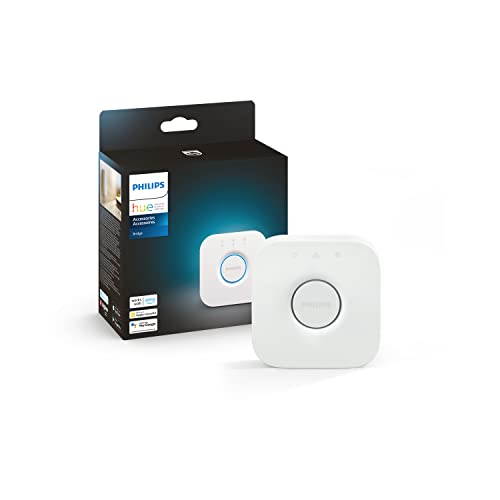
- WHAT'S IN THE BOX: Includes one Hue Bridge that unlocks the full potential of your Philips Hue system, including automations, smart control from anywhere in the world, and so much more
- SECURE AND STABLE CONNECTION: With Zigbee advanced technology, the bridge ensures a reliable connection that won't strain your Wi-Fi, Hue lights work when your Wi-Fi is down
- CONTROL LIGHTS FROM ANYWHERE: The Hue hub enables out-of-home control, control your lights with the Hue app anywhere you have an internet connection, with your home assistant

The Philips Hue Bridge is a strong choice if your main goal is smart lighting control with room to grow. It is designed to unlock the full potential of a Hue Bridge system, including multi-room and out-of-home control, automations, and zones. For users building around lighting first, it offers a focused and dependable foundation.
This hub is also compatible with voice control and Matter-compatible setups, which makes it easier to fit into a broader smart home ecosystem. If you already plan to use Hue bulbs or want to build a lighting-centered setup, the Bridge gives you the structure needed for more organized control.
At its price point, it stands out as one of the most accessible ways to centralize smart lighting management. It is not a whole-home controller for every category, but it excels at what it is designed to do.
Pros
- Supports multi-room and out-of-home control
- Works with voice and Matter-compatible systems
- Enables automations and zones
Cons
- Focused primarily on lighting
- Requires Hue-compatible devices for best use
2. Best For Advanced Automation: Home Assistant Green

- 💡 EASIEST WAY TO GET STARTED WITH HOME ASSISTANT - With Home Assistant already installed, it only requires plugging the included power supply and Ethernet cable to get started.
- ✅ OFFICIAL - This official Home Assistant hardware is built and supported by Nabu Casa, the team driving the development of Home Assistant.
- 🏡 DESIGNED FOR THE HOME - The small, fanless, and silent design packs a quad-core processor, 32GB of storage, and 4GB of RAM.
Home Assistant Green is built for users who want advanced home automation in a dedicated hardware package. As official Home Assistant hardware, it is designed to support a deeper level of customization than many simpler hubs. That makes it attractive for homeowners who want more control over routines and device coordination.
This option is especially appealing if you prefer a more flexible smart home platform and want to centralize many different devices under one system. It is positioned as a smart home hub with advanced automation, so it suits users who are comfortable with a more hands-on setup.
For buyers looking beyond basic app control, Home Assistant Green offers a powerful route into a more tailored home automation experience. It is one of the stronger choices for long-term system building.
Pros
- Official Home Assistant hardware
- Designed for advanced automation
- Good choice for a customizable smart home
Cons
- May be more than casual users need
- Less plug-and-play than simpler hubs
3. Best For Lighting Scenes: Lutron Caseta Smart Lighting Hub
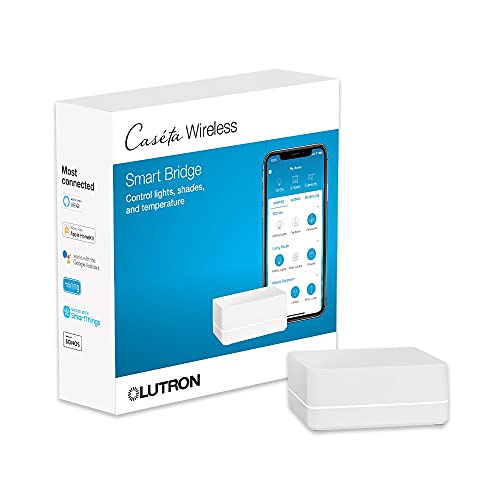
- CONNECTS WITH MORE LEADING SMART HOME BRANDS THAN ANY OTHER SMART HOME BRAND: Including Amazon Alexa, Apple HomeKit, the Google Assistant, Ring, Serena shades, and Sonos to manage lights, voice assistants, cameras, temperature, shades, and music
- WORKS WITH: Alexa Smart Home to support dimming or switching the lights on/off through voice control (Alexa device and Caséta dimmers/switches sold separately) for your home lighting
- INCLUDES: (1) Lutron Caséta Smart Hub for Alexa Home and other smart home devices; coordinating accessories sold separately
The Lutron Caseta Smart Lighting Smart Hub is a polished option for light bulbs and fans. It supports a wide range of major ecosystems, including Amazon Alexa, Apple HomeKit, and Google Home, which helps it fit into many homes without friction.
With support for up to 75 devices, this hub offers plenty of room for a lighting-focused smart home. It is a practical choice for people who want reliable control and broad compatibility, especially when building around lights and fans rather than a full sensor ecosystem.
If you want a well-established smart lighting hub with strong ecosystem support, this is one of the most compelling choices in the list. It balances simplicity and flexibility well.
Pros
- Compatible with Alexa, HomeKit, and Google Home
- Supports up to 75 devices
- Works with light bulbs and fans
Cons
- Primarily designed for lighting control
- Requires compatible Caseta devices
4. Best For Smart Displays: eufy Smart Display E10
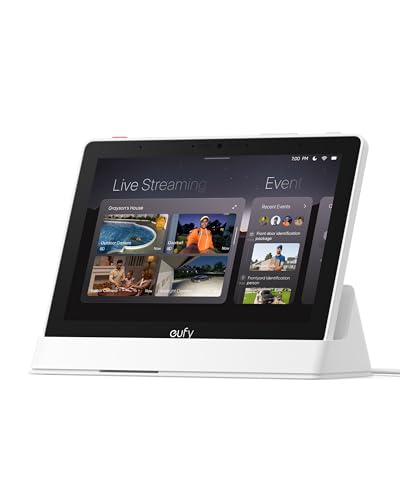
- Instant Hands-Free Door Alerts: When someone rings the doorbell, unlocks the door, or is detected by the camera, the display automatically lights up with a live feed and a voice alert. Know who's there instantly, hands-free.
- See Everything with Four Views on One Screen: View your entire property at a glance through four simultaneous live feeds while maintaining full control and near-instant access to live video streams. The moment something happens, you're instantly in the know.
- Instant Playback, No Waiting, No Buffering: Historical events are automatically downloaded to local storage so you can replay past moments instantly—no delays, no buffering.
The eufy Smart Display E10 is a home hub and control panel that puts device management on an 8-inch screen. It is made for users who want a clear, visible way to manage compatible devices and check activity at a glance. Its four-views-on-one-screen design can make monitoring feel more practical.
This model also includes instant door alerts, daily event reports, one-tap control, and 64GB eMMC storage. Those features help it serve as more than just a screen, giving it a useful role in a connected home setup.
If you want a central panel that feels straightforward and accessible, the E10 is a solid option. It is best for people who prefer visible, room-based control rather than only relying on a phone app.
Pros
- 8-inch smart home control panel
- Four views on one screen
- Includes instant door alerts and daily event reports
Cons
- Works only with compatible devices
- More niche than a general-purpose hub
5. Best For Cameras: Tapo CentralHub H500
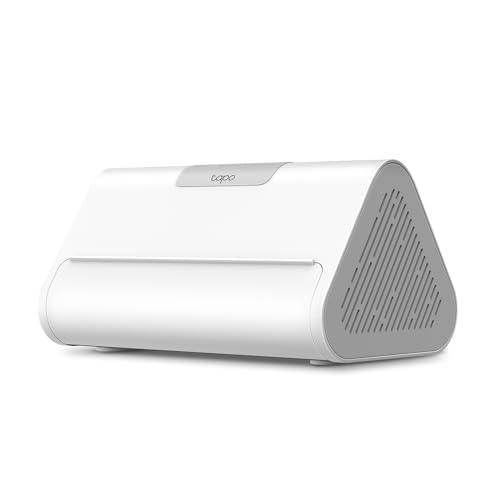
- 𝐂𝐞𝐧𝐭𝐫𝐚𝐥𝐢𝐳𝐞𝐝 𝐒𝐦𝐚𝐫𝐭 𝐇𝐨𝐦𝐞 𝐇𝐮𝐛 - Tapo H500 connects and controls up to 16 Tapo cameras and 64 Tapo Sub-G sensors, unifying your smart home IoT devices on a single platform. Note: Supports up to 4 cameras for continuous recording.
- 𝐄𝐱𝐩𝐚𝐧𝐝𝐚𝐛𝐥𝐞 𝐋𝐨𝐜𝐚𝐥 𝐒𝐭𝐨𝐫𝐚𝐠𝐞 – Enjoy 16GB of built-in storage plus support for added storage with no capacity limit via a 2.5'' SATA HDD/SSD (5V power/10W max operating watts, sold separately). Access recordings without subscriptions or having to buy separate microSDs for each camera.
- 𝐀𝐝𝐝𝐬 𝐅𝐚𝐜𝐢𝐚𝐥 𝐑𝐞𝐜𝐨𝐠𝐧𝐢𝐭𝐢𝐨𝐧 𝐭𝐨 𝐄𝐱𝐢𝐬𝐭𝐢𝐧𝐠 𝐓𝐚𝐩𝐨 𝐂𝐚𝐦𝐞𝐫𝐚𝐬 - Filter out familiar faces and get alerts only when an unfamiliar person is detected, reducing unnecessary notifications.
The Tapo CentralHub H500 is designed for users with multiple Tapo cameras and sensors. It supports up to 16 Tapo cameras and 64 sub-G sensors, making it a strong fit for homes that are already invested in the Tapo ecosystem.
This hub includes 16GB of built-in storage and offers an expandable 2.5-inch SATA storage option. It is also intended to improve camera AI accuracy, which makes it especially appealing for users focused on smarter monitoring and event detection.
If your setup centers on cameras and connected sensors, this hub gives you a practical way to bring those devices together. It is a specialized pick for security-oriented automation.
Pros
- Supports up to 16 Tapo cameras
- Supports up to 64 sub-G sensors
- Built-in storage with expandable option
Cons
- Best suited to Tapo users
- Less useful for broader ecosystems
6. Best For Smart Security Sensors: Tapo Door Sensor Starter Kit

- 𝐀𝐝𝐝𝐞𝐝 𝐒𝐞𝐜𝐮𝐫𝐢𝐭𝐲 𝐟𝐨𝐫 𝐲𝐨𝐮𝐫 𝐓𝐚𝐩𝐨 𝐒𝐦𝐚𝐫𝐭 𝐇𝐨𝐦𝐞 - This purchase includes 3x Tapo T110 Contact Sensors and 1x Tapo H100 Smart Hub with Chime. The sensors require the Tapo Hub to operate and use Sub-G protocol for extended range and longer battery life.
- 𝐇𝐨𝐦𝐞 𝐄𝐧𝐭𝐫𝐲 𝐏𝐫𝐨𝐭𝐞𝐜𝐭𝐢𝐨𝐧 - Receive real-time notifications when doors or windows open or close, and check their status from anywhere with the Tapo App. Also great for monitoring cabinets, refrigerators, mailboxes, and other items that open and close.
- 𝐈𝐧𝐬𝐭𝐚𝐧𝐭 𝐀𝐥𝐚𝐫𝐦𝐬 𝐟𝐨𝐫 𝐇𝐨𝐦𝐞 𝐒𝐞𝐜𝐮𝐫𝐢𝐭𝐲 - Activate a 90dB customizable alarm to deter intruders and review full activity history in the Tapo App.
The Tapo Door Sensor Starter Kit is a compact entry point for automating door and window monitoring. It includes three smart door/window contact sensors and one smart hub with a built-in chime, which makes it useful for basic home monitoring and alerting.
This kit is Matter compatible and supports smart automation and real-time notifications. That combination makes it easy to build simple responses around openings, like alerts or routine triggers, depending on your larger setup.
For anyone wanting a straightforward sensor kit to begin home automation, this is a practical and affordable route. It works especially well as a starter security layer.
Pros
- Includes three sensors and one hub
- Real-time notifications
- Matter compatible
Cons
- Designed for a narrower use case
- Depends on the Tapo ecosystem
7. Best For Universal Remote Use: Tapo Smart IR & IoT Hub H110
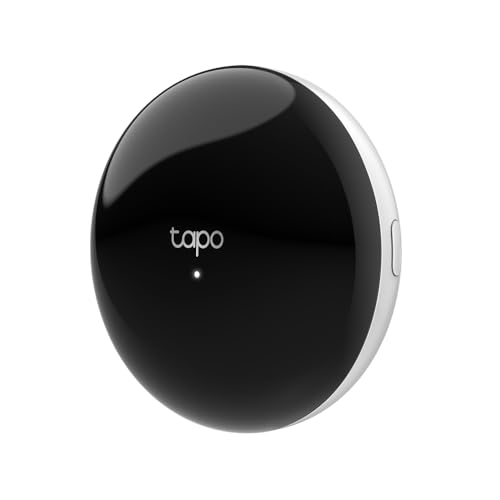
- UNIVERSAL REMOTE - SMART HUB FOR 8,000+ BRANDS: Matter-certified IR & IoT hub with built-in alarm. Control TVs, ACs, fans and other smart devices from anywhere with 2.4 GHz WiFi. Voice commands, automations and fast alerts deliver a seamless connected home.
- EXPANSIVE COMPATIBILITY ACROSS YOUR HOME: Supports 18 appliance types and thousands of IR brands—TV, Air Conditioner, Set-Top Box, Robot Vacuum, Fan, Light, Air Purifier, Humidifier, Water Heater, Electric Heater, Electric Curtain, Projector, Amplifier, DVD, Camera, Foot Tub, Drying Rack, and Box devices. Easily consolidate control for both new and legacy electronics within IR range, replacing multiple remotes with one powerful smart home hub.
- SEAMLESS VOICE ASSISTANT SUPPORT: Hands-free control with Alexa, Google Assistant or Siri through Matter. Adjust temperature, switch channels and activate routines without touching a remote or phone.
The Tapo Smart IR & IoT Hub with Chime helps bridge older appliances and modern app control. It supports universal remote use for TVs and air conditioners, and it is also designed for 18+ device types, which gives it a broad role in a connected home.
With support for 8,000+ infrared brands, voice and app control, custom schedules, and automations, it is a flexible hub for mixed-device households. Matter certification adds another layer of value for users building a more modern setup.
This product is a smart pick if you want to bring legacy IR devices into your automation plan. It is especially helpful when you have a blend of old and new home tech.
Pros
- Supports 8,000+ infrared brands
- Works as a universal remote
- Matter-certified with voice and app control
Cons
- IR-focused functionality is specialized
- Not a full smart home hub for every device type
8. Best For Smart Home Ecosystem Control: SmartThings Hub 3rd Generation
![SmartThings Hub 3rd Generation [GP-U999SJVLGDA] Smart Home Automation Hub Home Monitoring Smart Devices - Alexa Google Home Compatible - Zigbee, Z-Wave, Cloud to Cloud Protocols – White](https://m.media-amazon.com/images/I/21hChu0ounL.jpg)
- Monitor and control compatible devices in your home using a single smartphone app for your phone
- Automate connected devices in your home and set them to turn on or off when doors are opened, people come and go, and much more
- Works with a wide range of smartphone compatible products
The SmartThings Hub 3rd Generation is a familiar choice for buyers who want broad smart home compatibility. It supports Zigbee, Z-Wave, and cloud-to-cloud protocols, which gives it a strong foundation for connecting different types of devices.
It is compatible with Alexa and Google Home, making it easy to fit into common smart home environments. If you already use mixed brands and want a hub that can help unify them, this model has a lot of practical appeal.
This hub remains a strong option for buyers who value proven compatibility and a wide protocol range. It is a dependable choice for household automation across categories.
Pros
- Supports Zigbee and Z-Wave
- Compatible with Alexa and Google Home
- Works with cloud-to-cloud protocols
Cons
- May not appeal to users wanting the simplest setup
- Requires compatible devices to get full value
9. Best For Alexa Control: Amazon Echo Hub
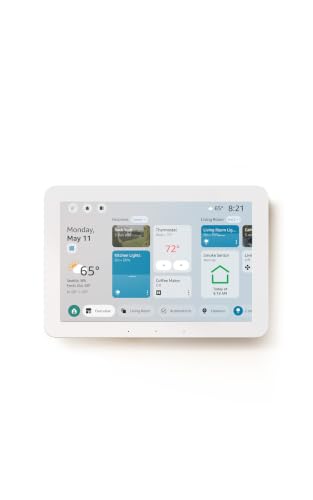
- Echo Hub — An easy-to-use Alexa-enabled control panel for your smart home devices—just ask Alexa or tap the display to control lights, smart plugs, camera feeds, and more.
- Streamline your smart home — Customize the controls and widgets, displayed on your dashboard to quickly adjust devices, view cameras, start routines, and more.
- Works with thousands of Alexa compatible devices — Compatible with thousands of connected locks, thermostats, speakers, and more. WiFi, Bluetooth, Zigbee, Matter, Sidewalk and Thread devices sync seamlessly with the built-in smart home hub.
The Amazon Echo Hub is an 8-inch smart home control panel designed for Alexa+ compatibility. It is built to work as a central interface for managing connected devices, making it appealing for users who prefer voice-first ecosystems with a visual touchpoint.
This control panel is positioned as a practical home dashboard and is compatible with thousands of devices. That makes it useful for households already invested in Alexa and looking for a central place to interact with their smart home.
If you want a screen-based control hub that stays close to the Alexa ecosystem, this is one of the most straightforward choices. It is especially good for users who like a centralized interface.
Pros
- 8-inch smart home control panel
- Compatible with thousands of devices
- Designed for Alexa+
Cons
- Best suited to Alexa-based homes
- Less specialized than dedicated automation hubs
10. Best For Wall-Mounted Control: Shelly Wall Display XL
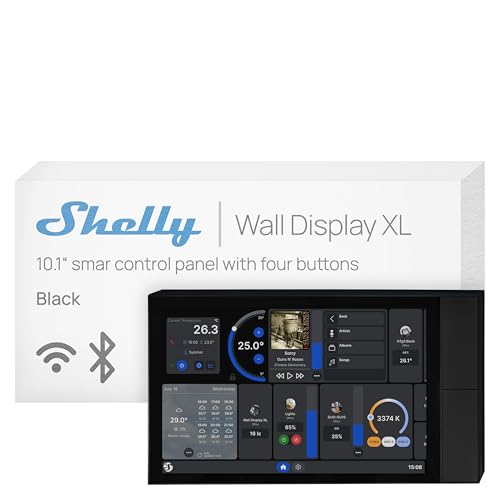
- Shelly Wall Display XL Black is a sleek 10.1” Wi-Fi smart home control panel with built-in relay switching and four customizable buttons for instant, app-free control of lights, HVAC, scenes, and more. Designed for standard wall boxes, it gives homes, hotels, and commercial spaces effortless control over all Shelly devices. Monitor real-time energy usage, manage everything remotely via the Shelly Smart Control App, and enjoy seamless integration with Wi-Fi, MQTT, and Home Assistant.
- Appliance Control - Control lights, fans, heaters, coffee makers, and more using the built-in relay or four customizable buttons. Turn devices on or off with a tap, button press, or automation schedule for added comfort, convenience, and energy savings. No extra hub or app required.
- Easy Integration - Connect the Shelly Wall Display XL Black with Shelly Smart Control App or Home Assistant for unified control of all devices from one interface. Set up automations, customize routines, and manage your smart home effortlessly in one place.
The Shelly Wall Display XL is a 10.1-inch touchscreen smart home control panel with a built-in 5A relay. It is made for users who want a wall-mounted, always-available control point for their smart home.
Compatibility with Alexa, Google, HomeKit, and Home Assistant helps it fit into many setups. It also includes four buttons and a lux sensor, which adds to its usefulness as a dedicated household controller.
This is a premium option for those who prefer a physical, fixed control interface. It is best for more intentional smart home installations where wall placement makes sense.
Pros
- 10.1-inch touchscreen
- Works with Alexa, Google, HomeKit, and Home Assistant
- Includes built-in relay and lux sensor
Cons
- Neutral wire required
- Higher price than many alternatives
11. Best For Energy Monitoring: Emporia Vue 3 Home Energy Monitor
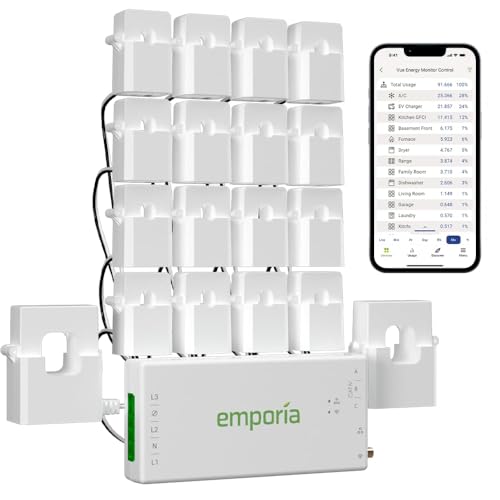
- SAFETY YOU CAN TRUST WITH UL CERTIFICATION: With Emporia Energy, your home energy monitoring is safe, reliable, and certified. The Emporia Vue is UL Listed, meaning it has met rigorous safety standards for electrical products in the U.S. and Canada. This certification ensures that every component has been thoroughly tested to prevent hazards, such as overheating, short-circuiting, or fire, offering you peace of mind as you manage your home’s energy consumption.
- INSTALLS IN CIRCUIT PANEL of most homes with clamp-on sensors. Supports Single phase, Single-split phase, and 2-wire systems. 3-wire systems; 3-phase, 4-wire Wye systems with earthed (TN or TT) neutral (no-Delta) are supported with an additional 200A sensor (sold separately).
- 24/7 ENERGY MANAGEMENT AND MONITORING: Automate, manage and control your home's real power anywhere, anytime to prevent costly repairs, conserve energy, and save costs. Monitor solar / net metering. PROTECTED BY A 1-YEAR WARRANTY.
The Emporia Vue 3 Home Energy Monitor is focused on tracking household electricity usage in real time. It serves as a smart home automation module for users who want to better understand power consumption and manage energy more intelligently.
This model is described as suitable for solar and net metering and is UL certified for safe energy monitoring. That makes it a valuable option for homeowners who want more visibility into how their property uses electricity.
If energy management is a major part of your home automation plan, this product gives you a useful foundation. It is less about device control and more about actionable data.
Pros
- Real-time electricity usage monitoring
- Supports solar and net metering
- UL certified safe energy monitoring
Cons
- Not a general smart home hub
- Best for users focused on energy data
12. Best For Smart Outlets: Kasa Smart Plug Mini 15A

- 【Apple Homekit Support】This Apple HomeKit compatible smart plug fully integrates into your Apple ecosystem, just ask Siri to turn on/off the devices in your home. (Apple HomeKit remote control requires an additional networked Apple device at home such as an iPad, HomePod or Apple TV.)
- 【Energy Monitoring & 15A Max Load】Use the smart Wi-Fi home plug to monitor your connected device's energy usage in real-time and view its historical power consumption within the Kasa Smart app. 1800W, 15A max load supported.
- 【Super Easy Setup】Enjoy an extremely easy and quick setup process with this Amazon Frustration-Free Setup (FFS) & Google Seamless Setup (GSS) supported smart plug. You can also setup in a few steps with the Kasa App.
The Kasa Smart Plug Mini 15A makes it easy to bring ordinary appliances into a smart home routine. It supports Apple HomeKit, Siri, Alexa, and Google Home, so it fits into several major ecosystems right away.
Its app control, scheduling, and timer functions make it practical for lights, small appliances, and devices you want to automate without replacing them. Since it works on 2.4G Wi-Fi only, it’s important to make sure your network is compatible.
This is a simple but useful pick for building automations around everyday devices. It is especially attractive as a low-cost way to expand a smart home setup.
Pros
- Works with Siri, Alexa, and Google Home
- App control with scheduling and timer
- UL certified
Cons
- 2.4G Wi-Fi only
- Limited to outlet-based automation
13. Best For Device Expansion: Aeotec Smart Home Hub
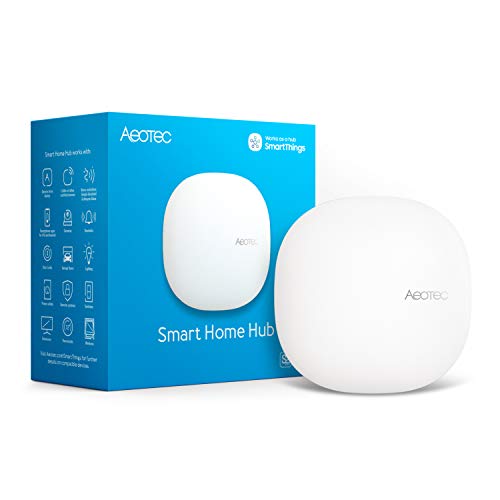
- Connect & control your smart home — Easily link thousands of compatible devices from leading brands to create a connected home environment for lighting, comfort, voice assistants, energy use, and more.
- Automate your routines — Build custom automations using the SmartThings app to coordinate lights, sensors, switches, and other compatible devices throughout your day. Many automations now run locally for improved speed and reliability.
- Set up, manage, and automate devices using the SmartThings app on Android, iOS, or iPadOS. Works with popular voice assistants, including Amazon Alexa and Google Home.
The Aeotec Smart Home Hub works as a SmartThings Hub and supports Z-Wave, Zigbee, Matter Gateway, Alexa, Google Assistant, and Wi-Fi. That broad compatibility makes it attractive for users who want one hub to connect varied smart devices.
Because it serves as a bridge across multiple protocols, it can be useful in homes with mixed hardware. It is a practical choice for users who want flexibility without committing to a single device family.
If expansion and protocol compatibility are top priorities, this hub deserves attention. It is a strong fit for a flexible smart home foundation.
Pros
- Supports Z-Wave and Zigbee
- Matter gateway support
- Compatible with Alexa and Google Assistant
Cons
- May require compatible devices for full functionality
- Not as simple as a single-purpose controller
14. Best For Smart Lighting Kits: Lutron Caseta Deluxe Smart Light Switch Kit

- MAKE YOUR LIGHTS SMART: One Lutron Caseta switch can turn multiple lights or fixtures into a smart light switch system. This light switch works with existing bulbs—no need for smart bulbs—making it ideal for smart lighting
- MOST CONNECTED SMART LIGHTING: Add your lights to Amazon Alexa, Apple HomeKit, Google Home, Ring, Sonos, and more with the Lutron Caseta smart hub—a leading smart light switches platform compatible with top smart home systems.
- RELIABLY SMART CONNECTION: The Lutron Smart Hub works without Wi-Fi, providing ultra-fast, stable performance beyond typical wifi switch systems for dependable smart lighting.
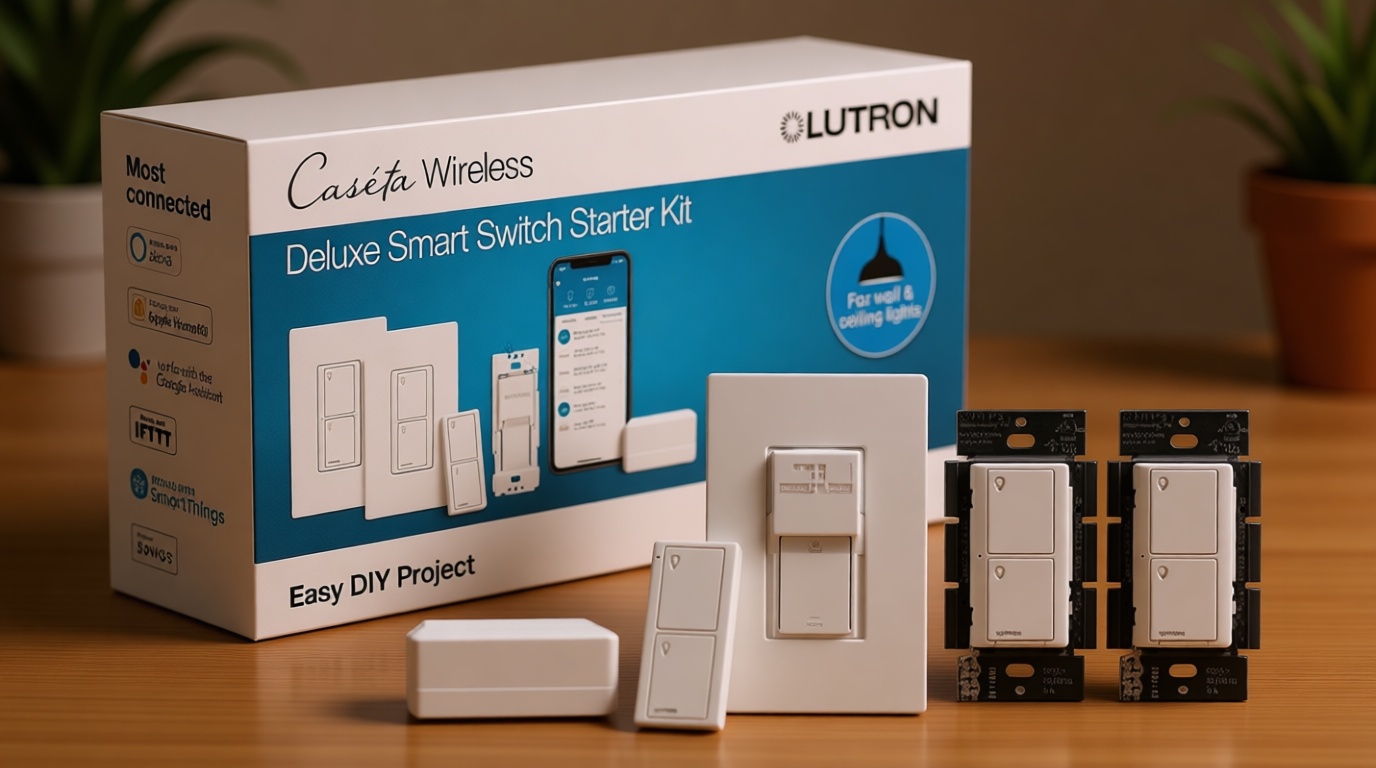
The Lutron Caseta Deluxe Smart Light Switch Kit includes a Pico remote, wall plate, smart hub, and smart switch. It is built for single-pole or 3-way setups and is a strong option for people who want to upgrade hardwired lighting control.
This kit is compatible with Alexa, Apple Home, Ring, and Google Home, which makes it easy to integrate into common smart home ecosystems. With support for five amps, it is a relevant choice for focused lighting upgrades.
If you want a complete starter kit instead of piecing together individual parts, this package offers a clean path into smarter lighting control. It is especially useful for users who prefer switch-based automation.
Pros
- Includes hub, switch, remote, and wall plate
- Compatible with major ecosystems
- Designed for single-pole and 3-way setups
Cons
- Focused on lighting, not whole-home automation
- Requires proper switch installation
15. Best For Entry-Level Hub Control: Tapo Smart Hub H100

- Reliable Long-Range Connections: The Tapo Hub operates on a lower frequency broadband, resulting in fewer signal interferences and ensuring stable connectivity for all your devices throughout your home. With a maximum connection distance of up to 30m, the Tapo Hub outperforms wireless network systems in the 2.4 GHz band. Our internal laboratory tests confirm the coverage and range of the Tapo Hub, but keep in mind that actual results may vary depending on environmental conditions.
- A Low-Power Way to Connect Everything- The Tapo Hub serves as the central hub for your Tapo smart home, linking smart sensors, switches, and buttons via an ultra-low power wireless protocol. This technology extends the battery life of devices by up to 10 times, in contrast to devices powered by the Wi-Fi protocol.
- Smart Action- With Tapo Smart Hub H100, you can trigger a Shortcut or control Tapo devices (such as smart plugs, smart lights and smart switches) based on sensor detection or with a button press. (Tapo H100 cannot directly connect to Tapo smart plugs or smart lighting, 2.4GHz Wi-Fi is required.)
The Tapo Smart Hub H100 is a compact hub with a built-in chime and support for Tapo sensors. It requires 2.4GHz Wi-Fi and offers reliable long-range connections with Tapo devices, making it a simple choice for basic home automation.
It supports Tapo’s Sub-1G low-power wireless protocol and can connect up to 64 smart devices. That gives it solid capacity for a small or mid-sized setup focused on sensors and alerts.
This is a practical entry-level hub for users who want a dependable foundation without overcomplicating their setup. It is especially useful when paired with Tapo accessories.
Pros
- Connects up to 64 smart devices
- Built-in chime
- Reliable long-range connection with Tapo sensors
Cons
- Requires 2.4GHz Wi-Fi
- Best suited to Tapo devices
Buying Guide
Compatibility
Before buying, make sure the hub or controller works with the devices you already own. Some products are built around a specific ecosystem, while others support broader standards like Matter, Zigbee, Z-Wave, or major voice assistants.
Automation Capabilities
Think about how advanced you want your automations to be. Some devices are best for simple routines, while others are designed for more complex and customizable automation setups.
Device Capacity
Check how many devices the system can support. If you plan to expand over time, a higher device limit can save you from replacing the hub later.
Connection Type
Different systems rely on different connections such as Wi-Fi, Zigbee, Z-Wave, Sub-1G wireless, or infrared. Choose the one that matches the devices and layout of your home.
Control Style
Some users prefer app-based control, while others want a physical display or wall-mounted panel. Your preferred control style will affect how easy the system feels in daily use.
Best Home Automation System Selection Tips
If you want a broad smart home foundation, look for multi-protocol hubs and Matter support. If your main goal is lighting, a dedicated lighting hub may be the better fit. For security-focused setups, sensor kits and camera hubs can be more useful than general controllers.
Frequently Asked Questions
What is the Best Home Automation System for beginners?
A beginner-friendly option is usually one that keeps setup simple and works with the devices you already use. Smart plugs, lighting hubs, and straightforward control panels are often the easiest way to start.
Do I need Matter support in a smart home hub?
Matter support is helpful if you want better compatibility across brands and future-proofing. It is not required for every setup, but it can make expansion easier.
Which product is best for smart lighting?
The Philips Hue Bridge and Lutron Caseta options are strong choices for lighting-focused automation. They are designed to work well with compatible lighting products and routines.
Can one hub control all smart home devices?
One hub can control many devices, but not always every type. Compatibility depends on the protocols and ecosystems supported by that hub.
Is a smart display better than a hub?
A smart display can be better if you want visible, room-based control. A traditional hub is better if you want a central communication layer for connected devices.
What should I prioritize when comparing hubs?
Focus on compatibility, device capacity, connection type, and how advanced the automation options are. Those factors usually matter more than brand alone.
Conclusion
The Best Home Automation System depends on what you want to automate most. If lighting is your priority, the Philips Hue Bridge and Lutron Caseta options stand out. If you want advanced control, Home Assistant Green is especially compelling. For smart displays, security sensors, energy monitoring, and mixed-device compatibility, several other products on this list offer strong value.
The right choice is the one that matches your ecosystem, fits your space, and gives you room to grow. Start with the area you want to improve most, then choose the hub or controller that supports that plan best.